
Run the Sprint Review
The sprint's figures, the verdict on its goal, stakeholder feedback and the export to share them.
- Plan
- All plans
- Required permission
- Sprints › Run the Sprint ReviewDefault: Product Owner, Scrum Master, plus the project owner and admins.
Open the review
In Sprints, click Sprint Review on the card of a completed sprint.
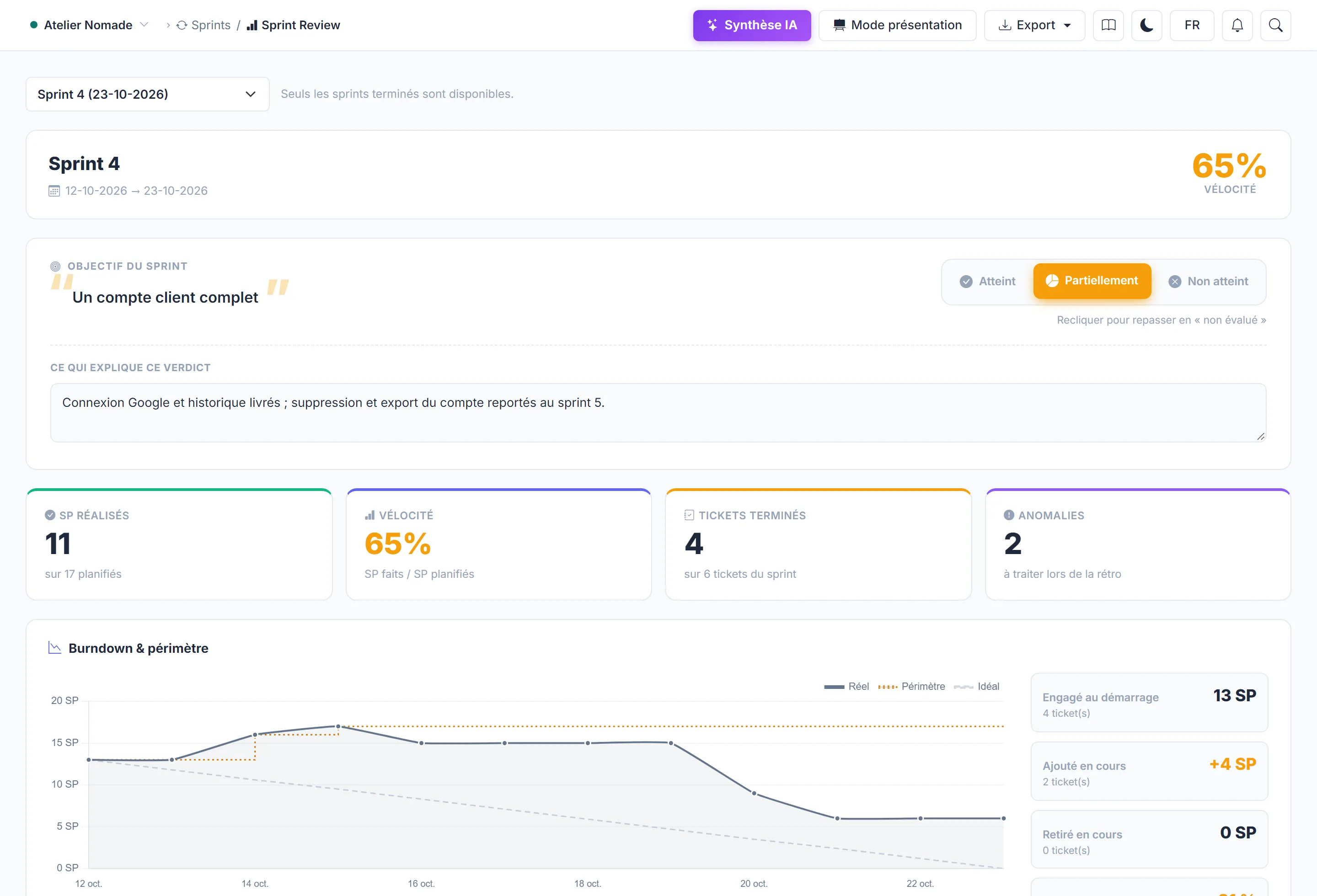
What the review shows
- Sprint goal and its verdict (see below).
- Points done / points planned, and the tickets delivered, carried over or added along the way.
- Burndown and scope: the initial commitment, additions and removals.
- Sprint cost: actual cost, cost variance, cost per point delivered. It is the same calculation as the Finance page, visible only to people who have access to it.
- Epics involved, with their progress, and the period's milestones.
- Recurring carry-overs: tickets pushed back from sprint to sprint.
- The points to review in the retrospective.
The verdict on the goal
Choose Met, Partially met or Not met, then explain the verdict: what was missing, what was delivered on top, what changed along the way. Click a verdict again to go back to "not assessed".
Feedback and decisions
Feedback & decisions records stakeholder feedback, decisions taken and actions to follow up. For example: "The client wants to filter by carrier" → ticket to create.
The verdict and feedback are entered with the "Run the Sprint Review" permission: by default, the Product Owner and the Scrum Master.
Summary and export
AI can write a summary of the review from its figures (AI credits). Export PDF and Export PPTX produce a deck to share; the PowerPoint export is included from the Team plan.