
Invite your team
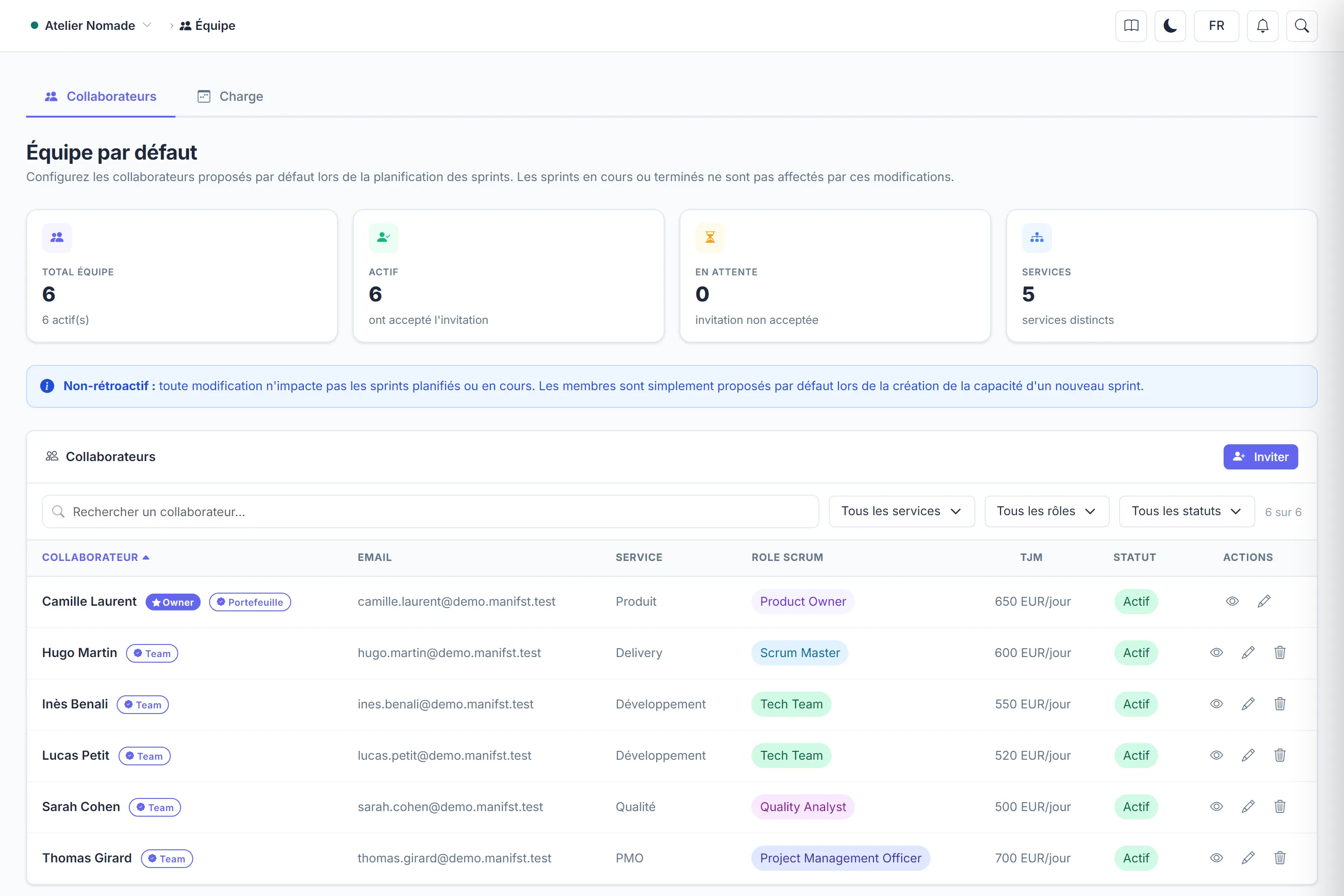
Invite a collaborator, give them a Scrum role and a daily rate, and follow their invitation until they join the project.
- Plan
- All plans
- Restricted to
- Project owner and admins
Send an invitation
- Open the project's Team page, then click Invite.
- Fill in First name, Last name and Email.
- Choose their Scrum Role: it determines what the person can do in the project. See Roles and permissions.
- Optional: their Daily Rate (EUR/day), used to calculate the project's actual cost from logged time, and their Department, to group the team.
- Tick Administrator access only if the person must be able to do everything, including managing the team and permissions.
- Click Send invitation.
The person shows as Pending until they accept. The email contains a link valid for 14 days: it leads to the sign-in page if an account already exists with this address, otherwise to sign-up.
Nothing received?
Ask them to check their spam folder, then click Resend invitation on the member's row: a new link is sent immediately.
Limits to know
- Number of members: a project created by a Starter account holds 5 members at most. Paid plans have no limit. The plan of the project's creator is what counts.
- The invitee's projects: joining your project uses a slot in the invitee's project quota. If their quota is full, the invitation is refused: they must leave a project or move to a higher plan.
- Capabilities: a member on the free plan can see the whole project, but can only change what their own plan allows. You can give them a subscription: see Gift a subscription.
Edit or remove a member
On the member's row, change their Scrum role, department or rate: their permissions follow immediately. Remove takes them off the team; sprints already planned are not changed.
Changing a daily rate changes the costs already shown
A new rate applies from today. To correct a past rate, use Correct a rate: a preview of the changed costs is shown before saving.