
Organise the backlog into Super Epics and epics
The three levels of the backlog (Super Epic, epic, ticket), what each is for, and how to create and follow them.
- Plan
- All plans
- Required permission
- Super Epics › CreateDefault: Product Owner, Scrum Master, Business Analyst, plus the project owner and admins.
- Required permission
- Epics › CreateDefault: Product Owner, Scrum Master, Business Analyst, plus the project owner and admins.
Three levels
| Level | Role | Example |
|---|---|---|
| Super Epic | the highest level: a major goal, a phase, a contractual work package | "Launch the customer area" |
| Epic | a group of tickets attached to a Super Epic: a feature | "Sign-in and account" |
| Ticket | the unit of work, estimated and planned in a sprint | "Sign in with Google" |
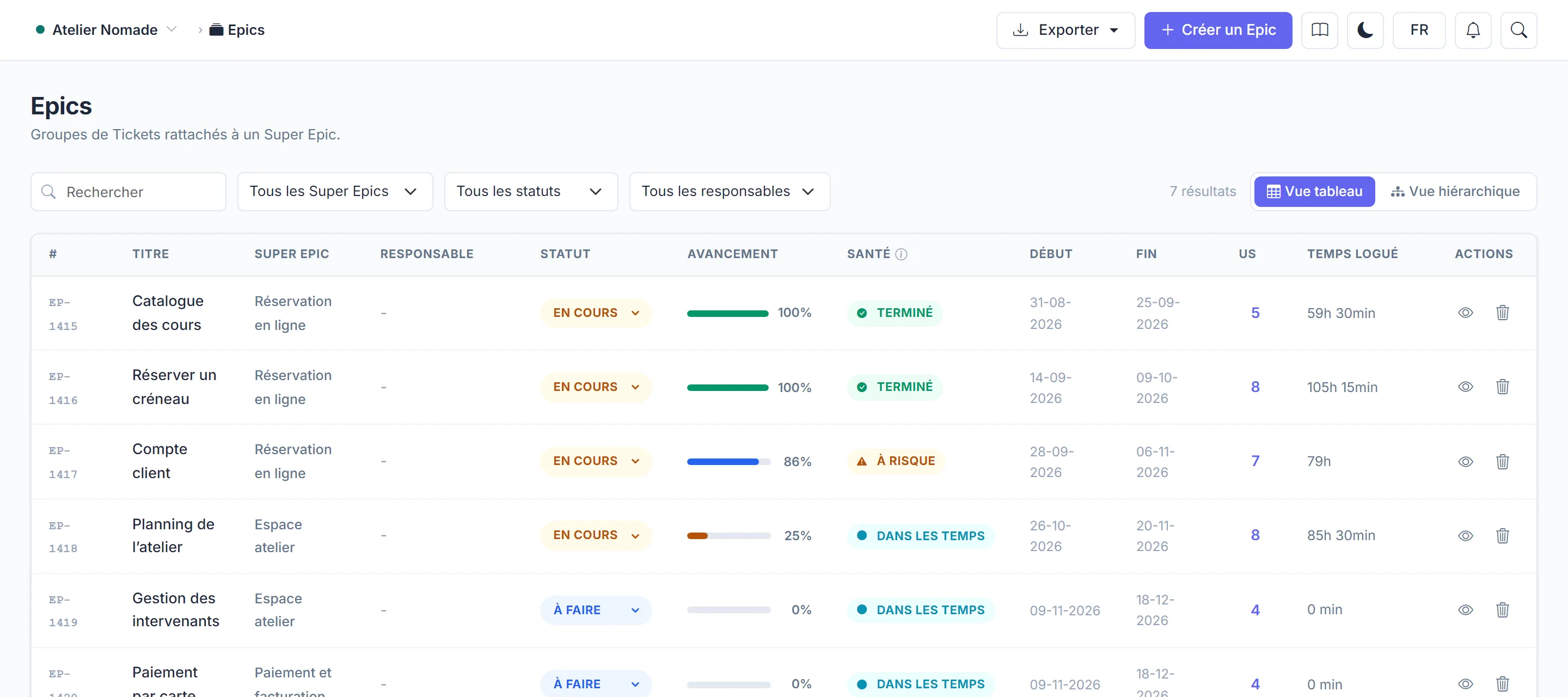
Each level has its page in the Planning menu: Super Epics, Epics, and Tickets under Delivery.
Create
- In Super Epics, click Create Super Epic.
- In Epics, click Create Epic and choose its Super Epic.
Open a Super Epic or an epic to see its page: description, status, dates, attached tickets and progress.
Start from a document rather than a blank page
The line at the top of the creation windows lets you start from a requirement: AI reads your text or document, matches it against the existing backlog and proposes the tickets to create. See Start from a requirement.
Owner and envelope
A Super Epic or an epic can have an owner and a budget envelope. The envelope is indicative: it tracks a work package's consumption in Finance, but does not replace the project budget. Only the project owner and admins set envelopes. See Track the budget in Finance.
On the roadmap
Dated Super Epics and epics appear on the Roadmap, which shows how they follow and overlap each other.