
Run the daily stand-up
A round prepared from the current sprint: what moved yesterday, what is in progress, the blockers, and a report sent out automatically.
- Plan
- All plans
- Required permission
- Sprints › Run the daily stand-upDefault: Product Owner, Scrum Master, Tech Team, Project Manager, Business Analyst, Quality Analyst, plus the project owner and admins.
Before you start
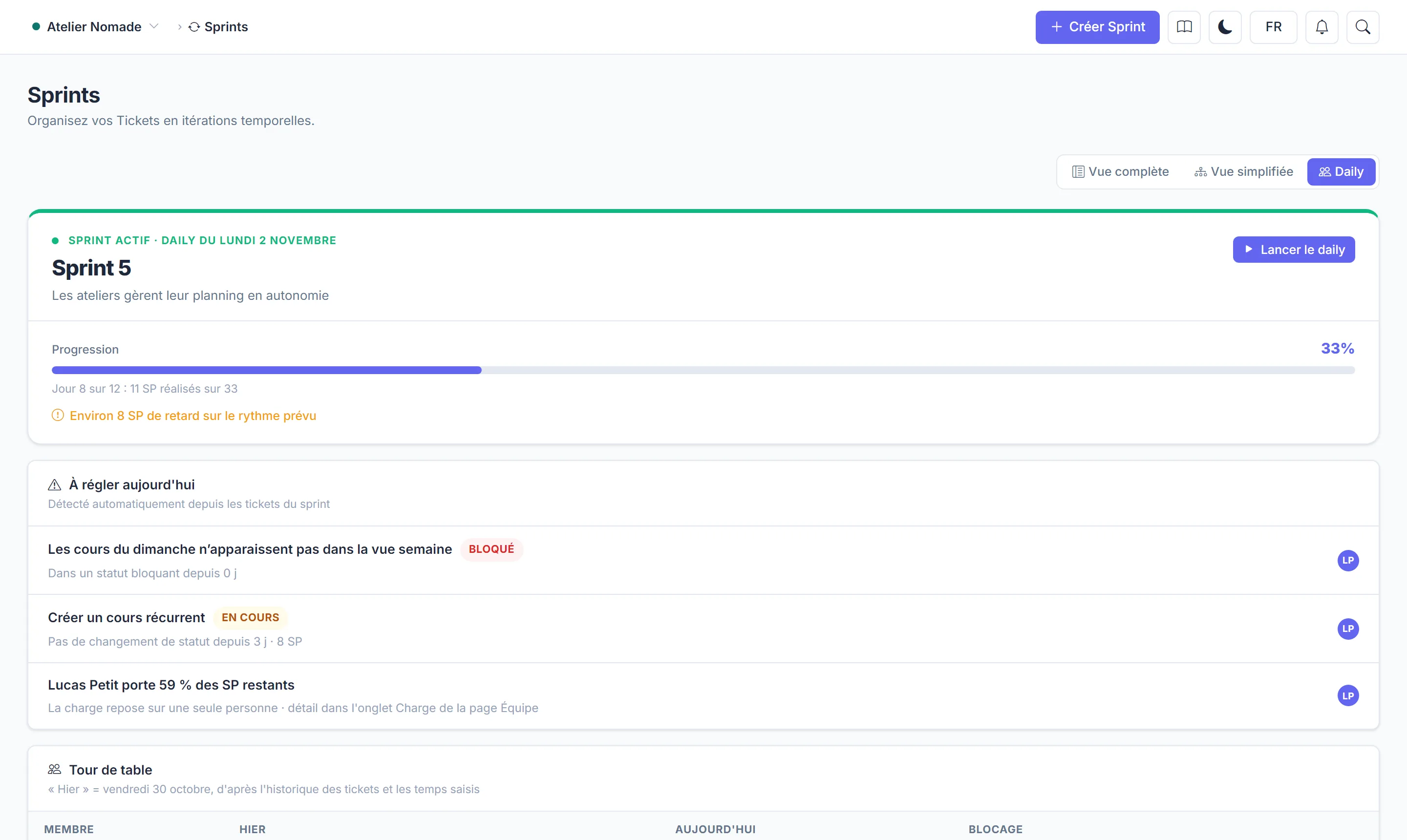
The daily relies on the active sprint. In Sprints, switch to the Daily view: the header recalls the sprint day and the points completed, and flags any delay against the planned pace.
The To sort out today block lists what Manifst detects in the sprint's tickets:
- a ticket in a blocking status, and for how many days;
- a ticket waiting for another ticket that is not finished yet;
- a ticket with no status change for several days;
- tickets waiting for QA review, and who can review them;
- one person carrying a large share of the remaining points.
The round
- Click Start the daily.
- Who speaks? Tech Team and QA members are ticked by default, as is anyone assigned to a ticket in the sprint. Tick or untick, then Start the round.
- For each person, Manifst shows Yesterday (tickets that changed status and the time logged), Today (their tickets in progress) and their blockers.
- A topic that deserves a separate discussion? Note it in Topic to handle after the stand-up rather than dealing with it in the meeting.
- Finish the round, then Close the daily.
The report
On closing, the report (blockers and noted topics) is emailed to the project members, except observers. You can also save it in MyDoc, in the space of your choice, and it is posted to Slack, Teams or Discord if a channel subscribes to the "Daily closed" event.