
Follow the work on the Kanban
Move tickets from one column to another, and adapt the columns, which are the project's statuses.
The board
The Kanban page shows tickets in columns, one per project status. Drag a card from one column to another to change its status. Create ticket adds a ticket without leaving the board.
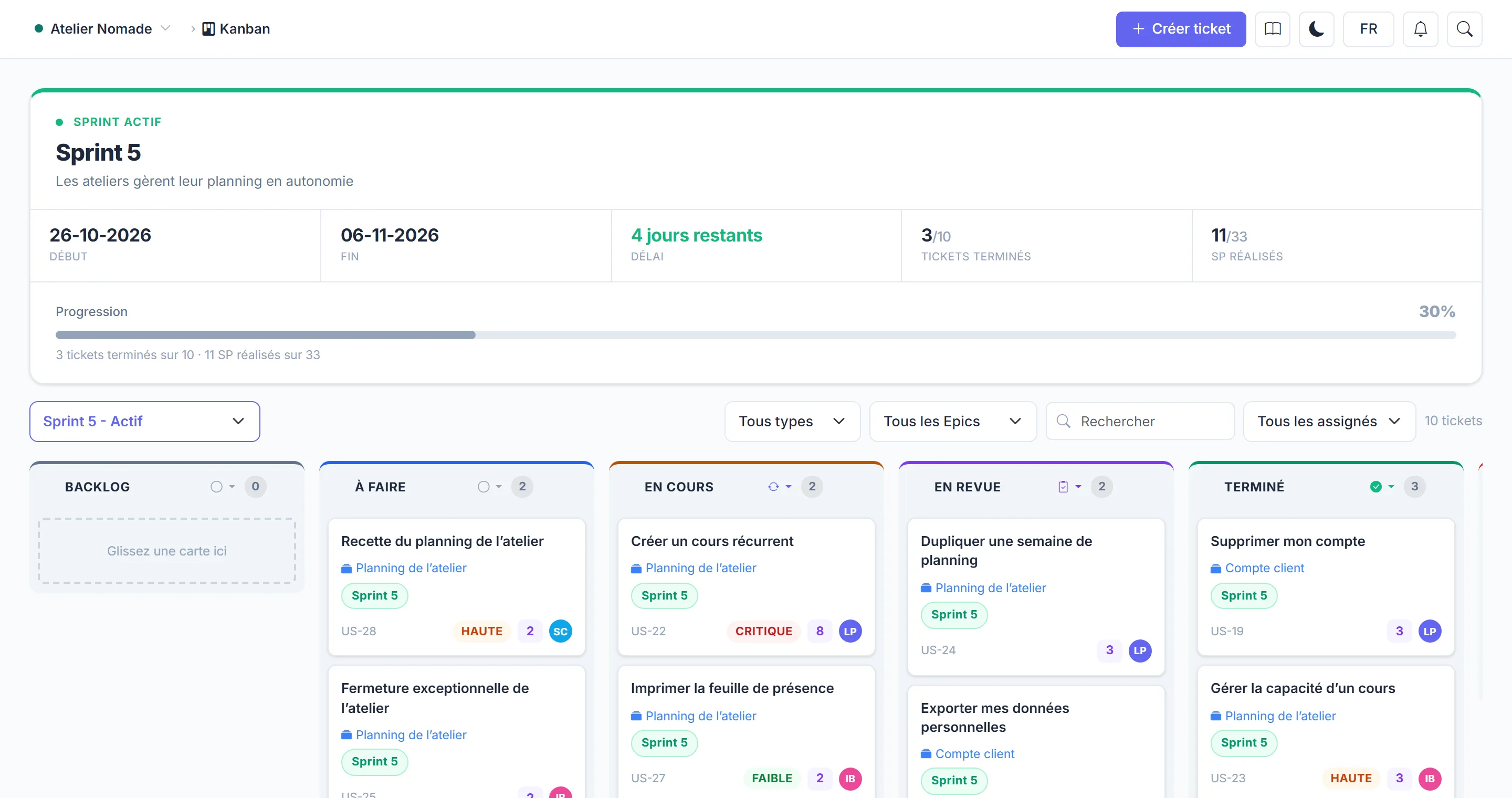
Columns are statuses
Adding, renaming or deleting a column changes the project's statuses, everywhere in Manifst.
- New column adds a status.
- A column's menu lets you edit, move or delete it. Deleting a column that contains tickets asks which status to move them to.
- Default statuses (such as Backlog and Done) cannot be deleted: only their type can be changed.
The column type tells Manifst how to count the work. For example, a "review" column shows the QA review panel on each ticket, and a "blocked" column never counts as delivered.
Who can change the columns
Changing columns requires the "Manage statuses" permission (by default: Product Owner and Scrum Master, as well as the project owner and admins). See Roles and permissions.