
Keep the risk register
Score each risk by probability and impact, give it an owner and a mitigation plan, and get help from AI.
- Plan
- Team and above
- Required permission
- Risks › Manage risksDefault: Product Owner, Scrum Master, Project Management Officer, plus the project owner and admins.
Add a risk
- Open Risks in the Governance menu.
- Click Add risk.
- Describe it, then rate its Probability and Impact: their product gives the Score.
- Name an Owner, then fill in the Mitigation plan (preventive) and what to do if the risk occurs.
- Link it, if relevant, to the backlog items concerned.
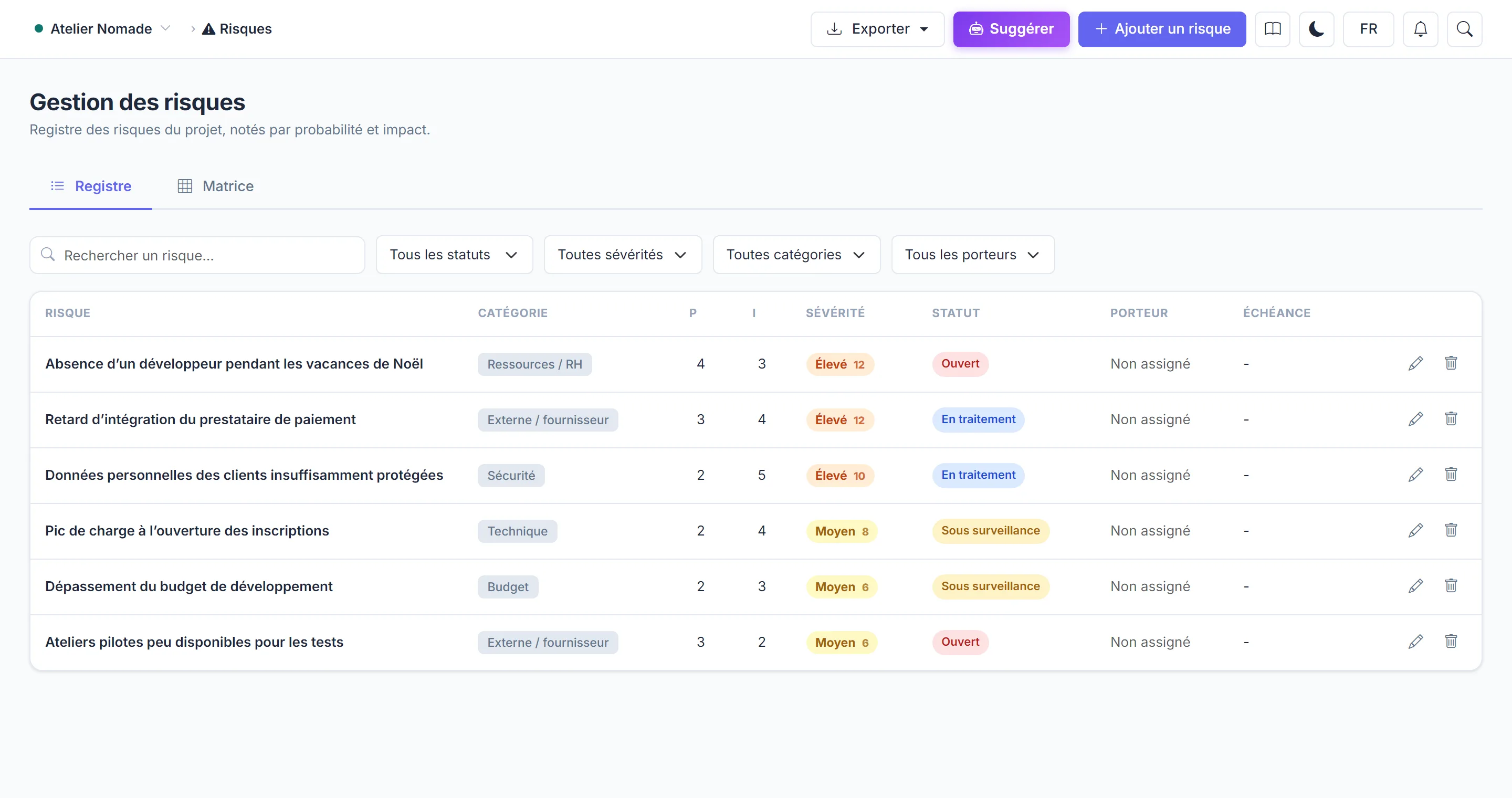
Read the register
- The register can be sorted and filtered by status and owner.
- The Matrix tab places risks on a probability × impact grid: the most critical ones stand out at a glance.
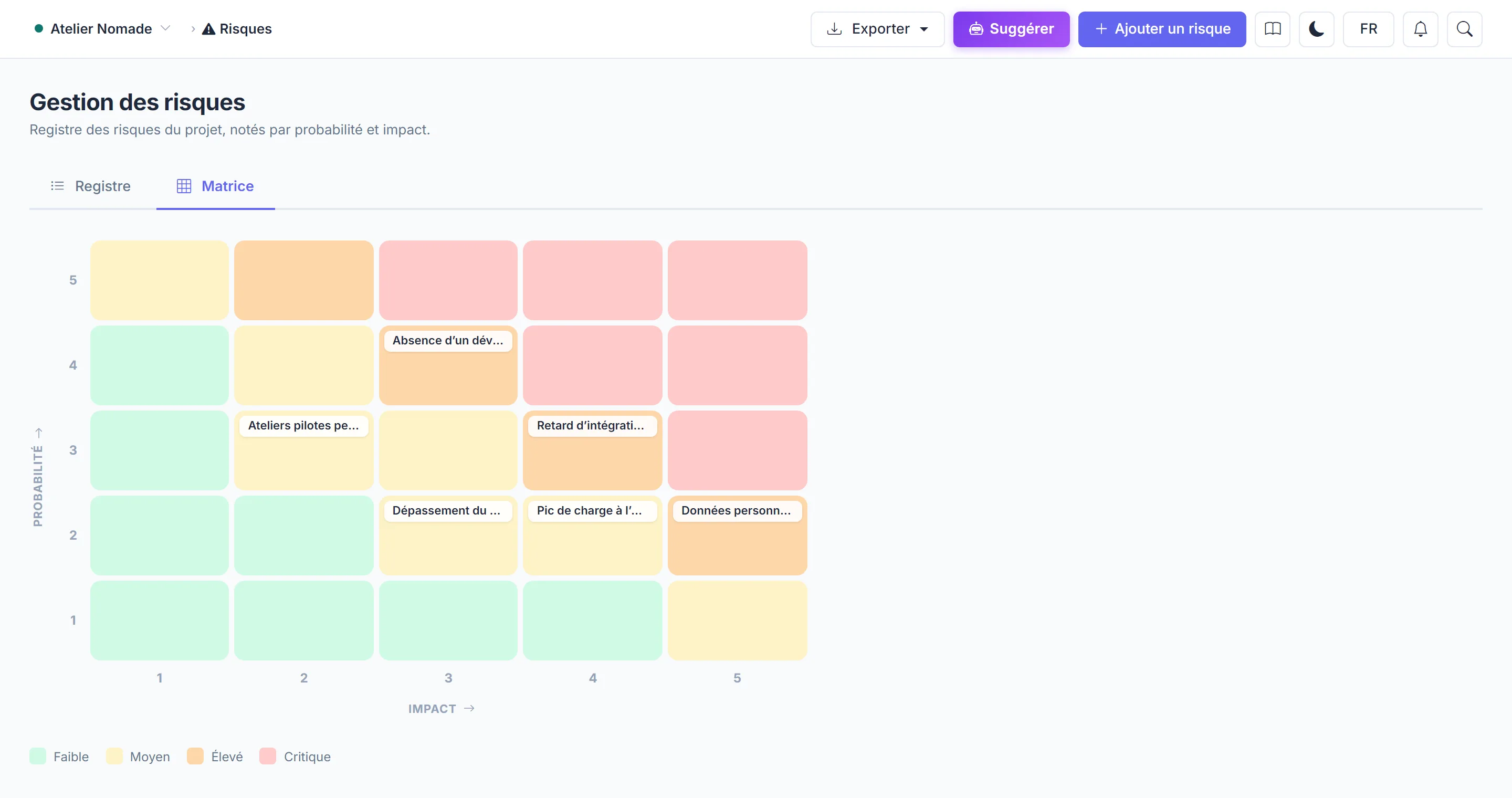
AI suggestions
Suggest asks AI to analyse the project's backlog and propose risks. Nothing is created automatically: tick the ones to add, then edit them. Risks already listed are taken into account to avoid duplicates. This analysis uses credits: see AI credits.
Export
The PowerPoint export includes the matrix and the filtered register. It is included from the Team plan.