
Plan on the roadmap
The Gantt timeline of Super Epics and epics: reschedule by dragging, add milestones and dependencies, export to PowerPoint.
Read the roadmap
The Roadmap page shows your dated Super Epics and epics on a timeline. It helps you spot delays and overlaps, and steer sprint after sprint.
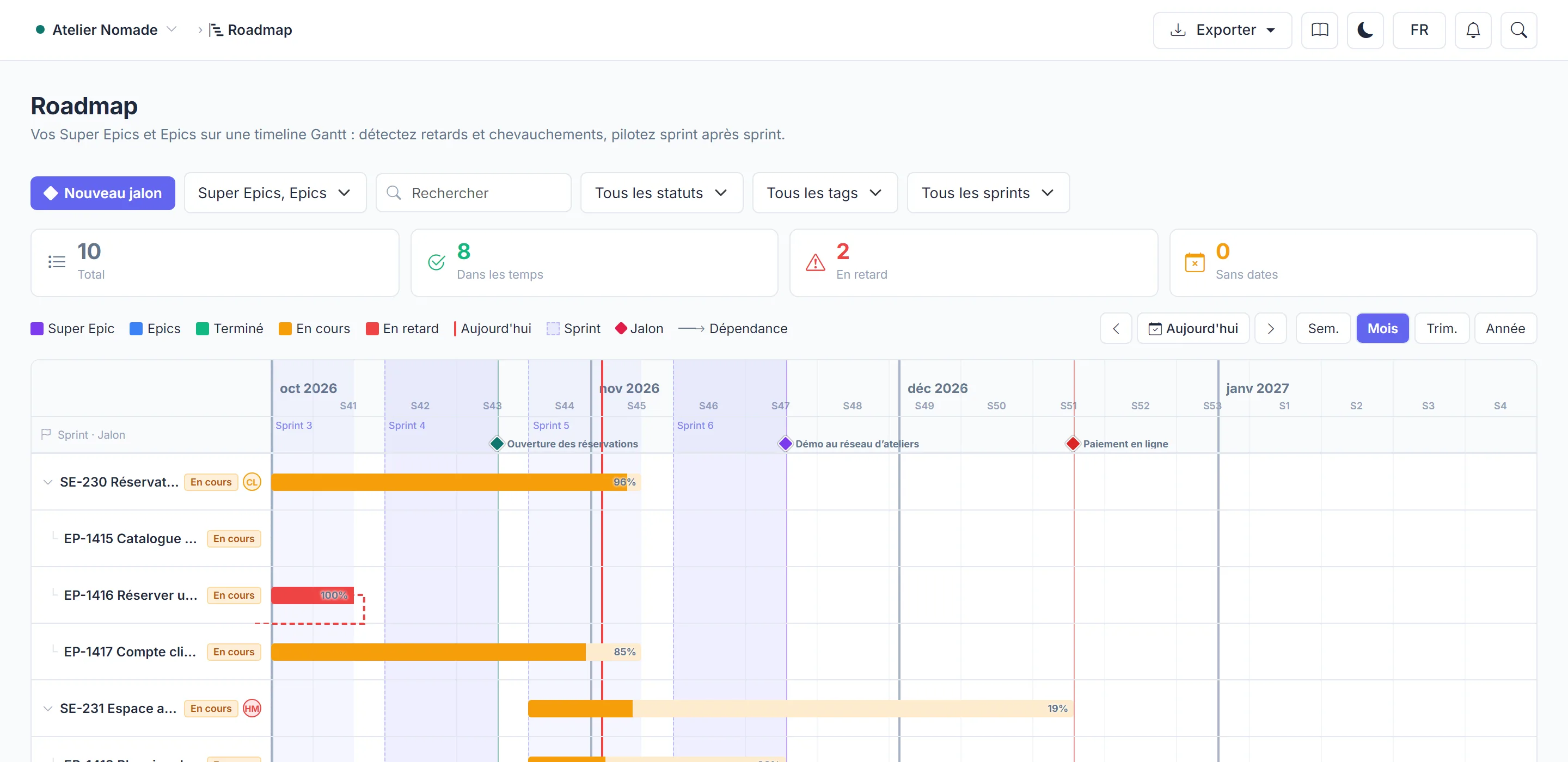
- Zoom: week, month, quarter or year.
- Today recentres the view on the current date.
- Filters (search, status, tag, sprint, completed items) narrow what is shown. If nothing is left, click Clear filters.
Reschedule
Drag a bar to move it in time, or pull its edges to change its dates.
Milestones and dependencies
- Milestones: a dated diamond on the timeline, for a delivery or a demo ("Release v1", "Client demo"). Click New milestone.
- Dependencies: drag from one bar to another to show that it depends on it. Manifst refuses a dependency that would create a loop.
Plan required for milestones and dependencies
Creating or editing milestones and dependencies is reserved for accounts on the Team plan and above. On the free plan, you can see them but not change them. See Plans and capabilities.
Several projects on one roadmap
The Projects filter overlays the roadmaps of several projects, read-only. This merge depends on your plan: the required plan is shown on the filter when it is closed to you, and in Plans and capabilities.
Export
The PowerPoint export reproduces the view on screen, editable in PowerPoint. It is included from the Team plan.